
If you’ve ever stood up after a long work session and felt your back tighten, your neck crack, or your hips complain—you’re not alone. I’ve spent years working at a desk, testing different setups, dealing with nagging shoulder pain, and trying everything from expensive chairs to quick mobility hacks.
Some things worked. Many didn’t.
This guide is built from real experience—not theory. You’ll find practical fixes you can apply today, without turning your workspace into a fitness studio.
Why Desk Work Hurts More Than You Think
The issue isn’t just “sitting too long.” It’s how you sit and how little you move.
Most desk workers fall into these habits:
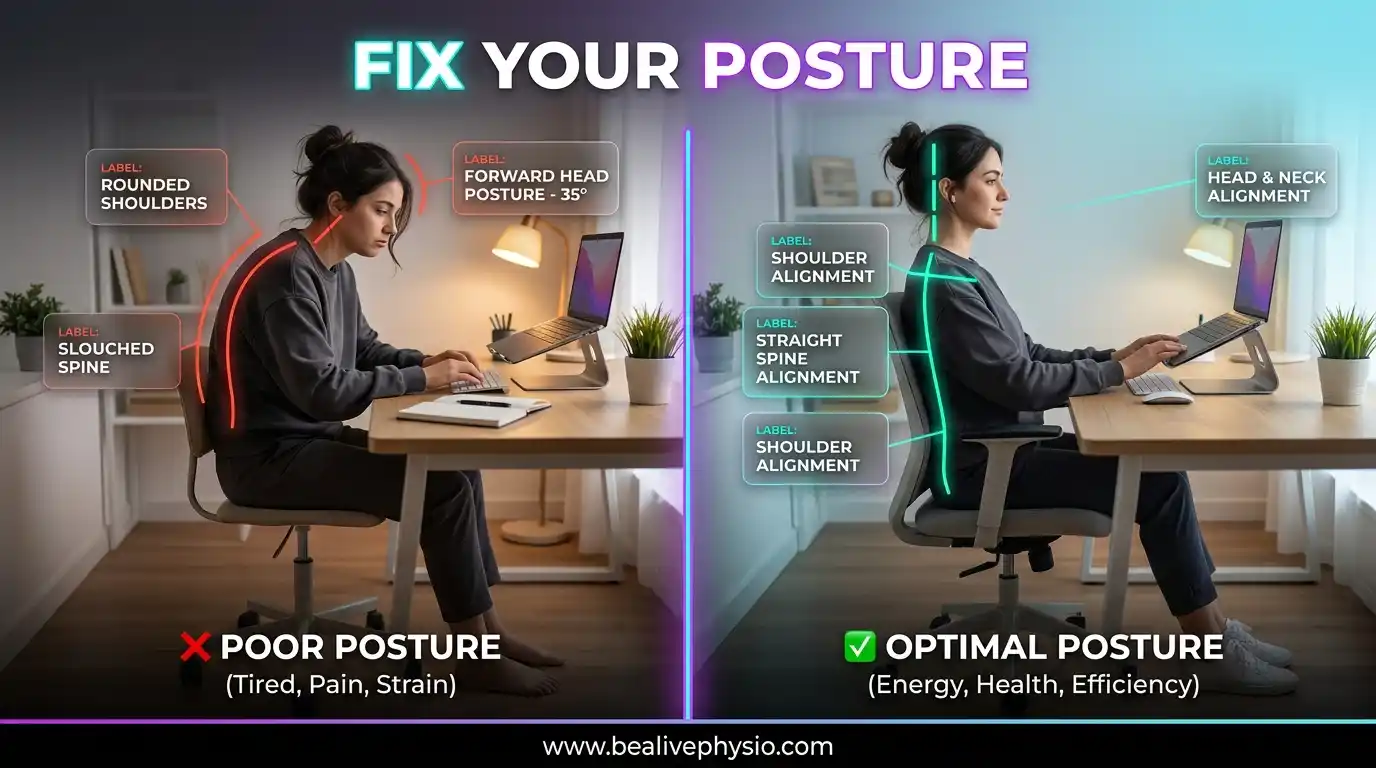
- Leaning forward toward the screen
- Letting the shoulders round inward
- Sitting for 2–4 hours without moving
- Using laptops at poor angles
I used to think buying a better chair would fix everything. It didn’t. The truth is: no chair can compensate for bad habits and zero movement.
The Reality of “Perfect Posture”
Let’s clear a myth: there is no single “perfect posture” you must hold all day.
What actually works:
- Neutral alignment most of the time
- Frequent posture changes
- Regular movement breaks
When I tried to “sit straight” all day, my back got more tired. The breakthrough came when I focused on movement, not stiffness.
How to Set Up Your Desk (Without Overcomplicating It)
1. Screen Height Matters More Than You Think
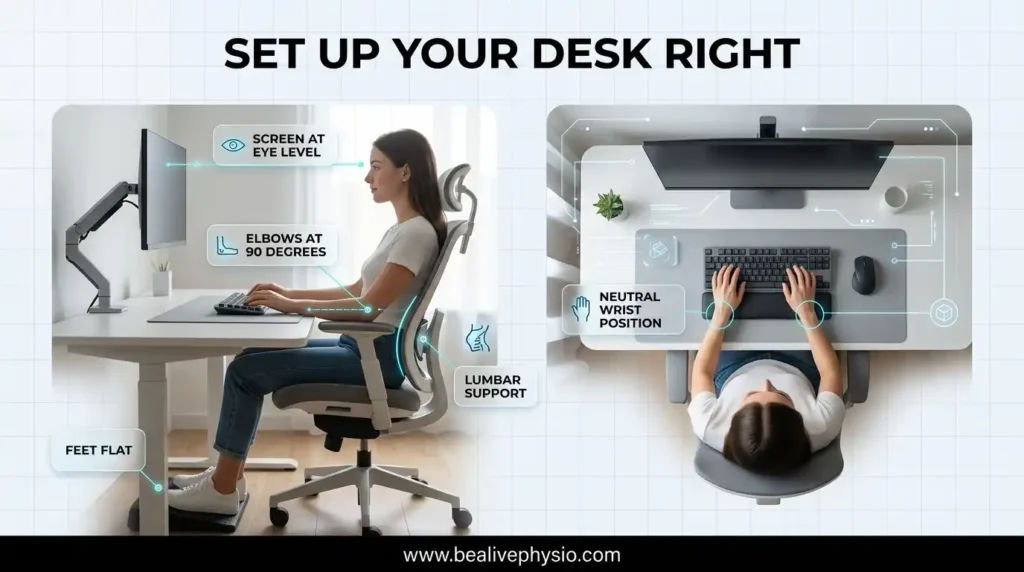
Your screen should be at eye level or slightly below.
Mistake I made:
Using a laptop directly on the desk → constant neck bending.
Fix:
- Use a laptop stand or a stack of books
- External keyboard and mouse
2. Chair Setup That Actually Works
Instead of obsessing over expensive ergonomic chairs, focus on this:
- Feet flat on the floor
- Knees at hip level or slightly lower
- Lower back supported
Quick hack:
Roll up a towel and place it behind your lower back—it works surprisingly well.
3. Keyboard and Mouse Position
- Keep them close to your body
- Elbows at ~90 degrees
- Avoid reaching forward
Real issue:
Reaching forward caused my shoulder tightness more than anything else.
Common Pain Points (And What Actually Helps)
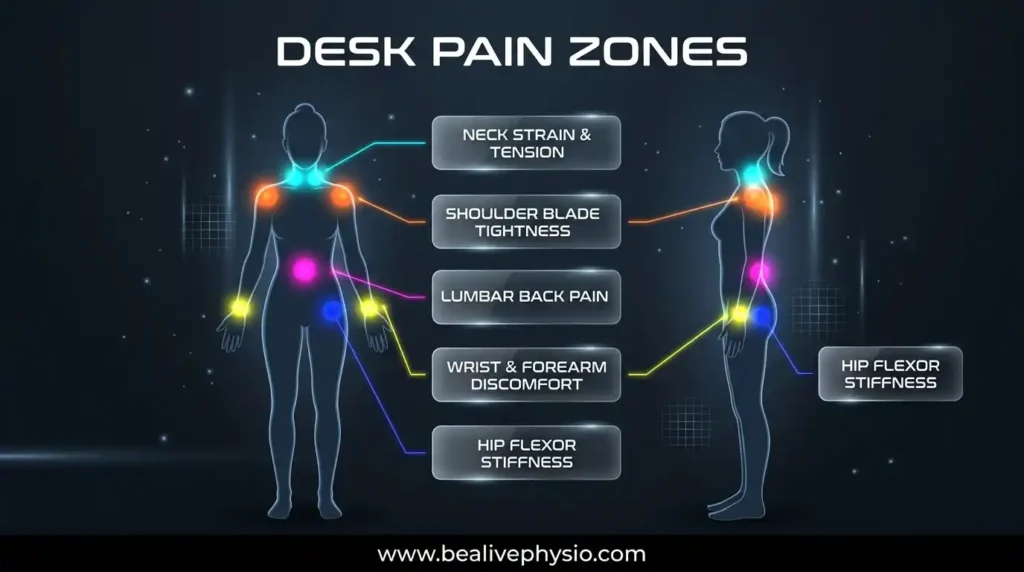
Neck Pain
Cause:
- Screen too low
- Head pushed forward
What worked for me:
- Raising the screen
- Doing 30-second chin tucks every hour
Lower Back Pain
Cause:
- Slouching
- Sitting too long without support
Fix:
- Lumbar support (even DIY)
- Standing up every 30–45 minutes
Tight Hips
This one sneaks up slowly.
Cause:
- Sitting shortens the hip flexors
Solution:
- Simple standing stretches
- Walking breaks
Wrist and Hand Discomfort
Especially common if you type a lot.
Fix:
- Neutral wrist position
- Occasional wrist circles
- Avoid resting wrists heavily on hard surfaces
The Power of Mini-Mobility Breaks
This is where everything changes.
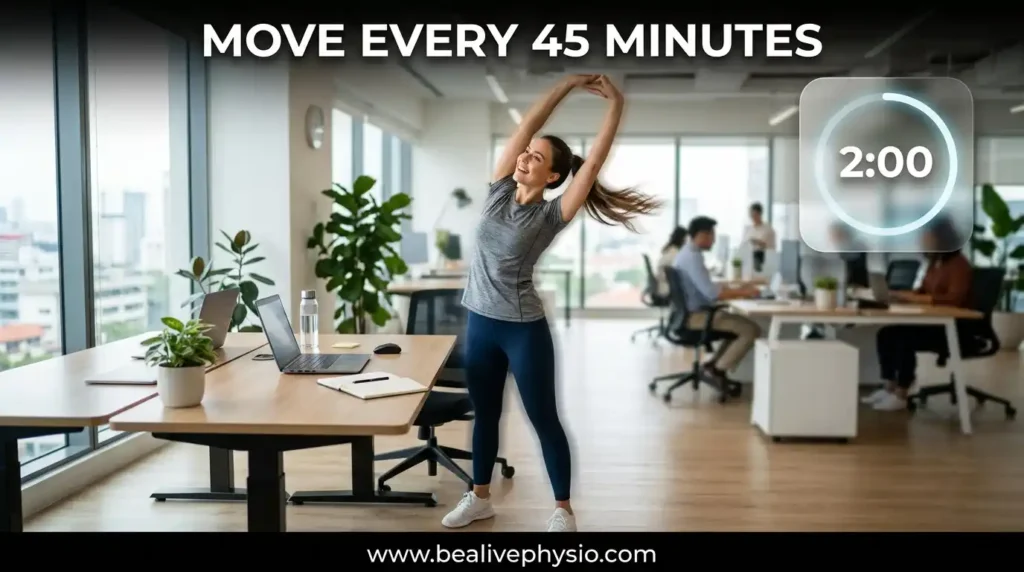
You don’t need a full workout. You need small, consistent resets.
My Rule: 2 Minutes Every 45 Minutes
It sounds small—but it works.
5 Simple Mini-Mobility Breaks (That Actually Help)
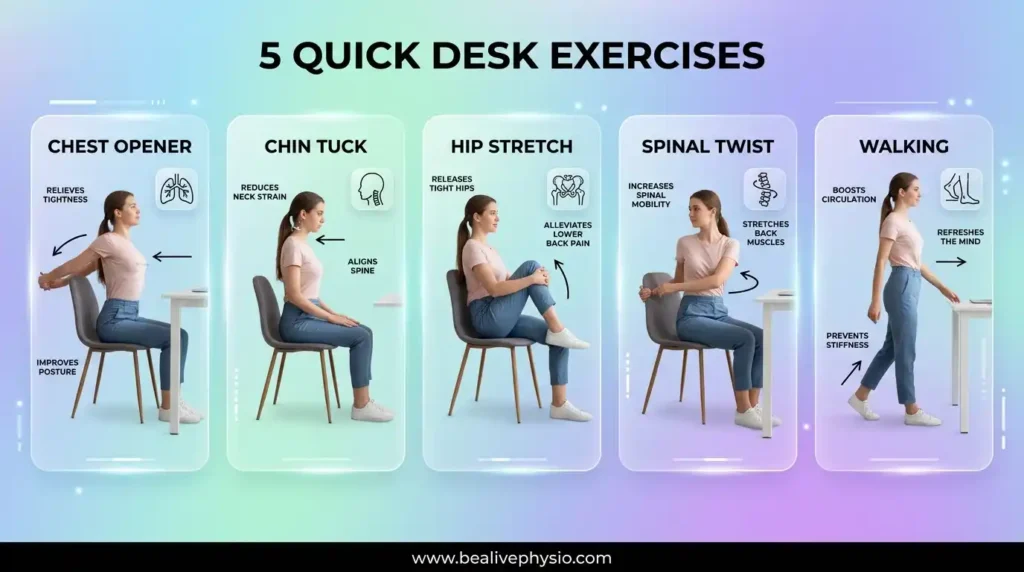
1. Desk Chest Opener
Why: Fixes rounded shoulders
Steps:
- Stand up
- Clasp hands behind your back
- Lift arms slightly
- Hold for 20–30 seconds
2. Neck Reset (Chin Tucks)
Why: Reduces forward head posture
Steps:
- Sit or stand straight
- Pull chin straight back (not down)
- Hold for 5 seconds
- Repeat 8–10 times
3. Standing Hip Stretch
Why: Loosens tight hips
Steps:
- Step one foot back
- Slightly bend the front knee
- Push hips forward gently
- Hold 20 seconds on each side
4. Spinal Twist
Why: Relieves lower back stiffness
Steps:
- Sit upright
- Twist torso to one side
- Hold the chair back for support
- Hold 15–20 seconds
5. Quick Walk Reset
The simplest and most effective.
- Walk for 1–2 minutes
- No phone
- Just move
This alone reduced my daily stiffness more than any stretch.
Tools That Actually Make a Difference
You don’t need a full ergonomic overhaul, but a few tools help:
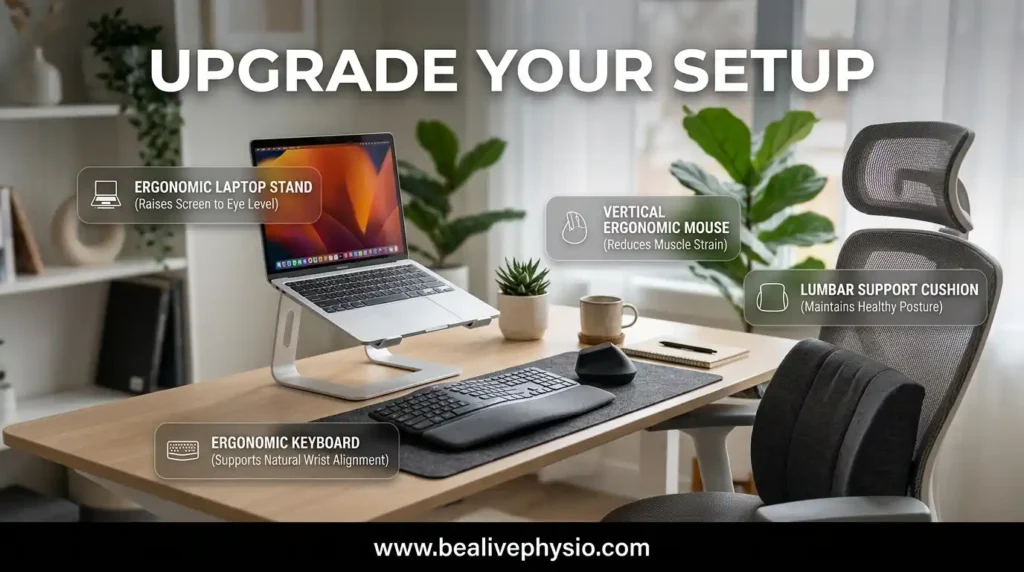
1. Laptop Stand
Cheap and effective. Fixes neck posture instantly.
2. External Keyboard & Mouse
Makes a big difference in shoulder comfort.
3. Timer Apps
I personally use simple tools like:
- Pomodoro timers
- Reminder apps
Without reminders, I’d forget breaks completely.
A Real Daily Routine That Works
Here’s what my typical workday looks like now:
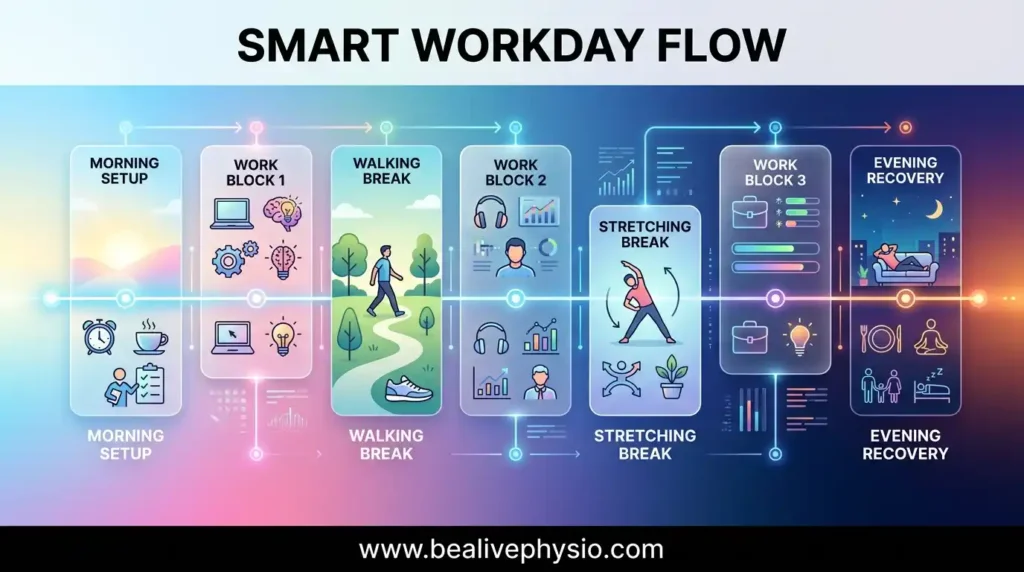
Morning:
- Set up the desk properly
- Start with good posture (not perfect, just aware)
Every 45 minutes:
- Stand up
- Do 1–2 mobility exercises
- Quick walk
Midday:
- Longer walk (5–10 minutes)
Evening:
- Light stretching if needed
This routine didn’t take extra time—it replaced bad habits.
Mistakes Most Desk Workers Make
1. Waiting for Pain to Start
By the time you feel pain, it’s already built up.
Fix: Prevent it with movement.
2. Overcomplicating Everything
You don’t need:
- Fancy equipment
- 30-minute routines
Consistency beats complexity.
3. Ignoring Small Discomfort
That slight neck tension? It turns into chronic pain if ignored.
4. Thinking One Fix Solves Everything
It’s never just the chair or just posture.
It’s:
- Setup
- Movement
- Awareness
Results You Can Expect (Realistically)
After applying these changes, here’s what improved for me:
- Less neck stiffness within 1 week
- Reduced lower back pain in ~2 weeks
- Better energy during work hours
- Fewer “end-of-day aches”
This isn’t instant magic—but it works if you stay consistent.
FAQs: What People Actually Ask
Every 30–60 minutes is ideal. Even 1–2 minutes of movement helps.
Not really. It helps, but movement matters more than standing.
No. Posture helps, but lack of movement is the bigger issue.
1- Raise your screen
2- Do chin tucks regularly
3- Stop leaning forward
They help, but they’re not a solution on their own.
Good habits matter more.
Use:
1- Phone alarms
2- Timer apps
3- Work techniques like Pomodoro
Final Thoughts
Desk work isn’t going anywhere. But the pain that comes with it? That’s optional.
You don’t need a perfect setup or a strict routine. What actually works is simple:
- Set your desk up reasonably well
- Move often
- Fix small issues before they grow
Once you start doing this consistently, your body responds quickly. You’ll feel lighter, more focused, and less drained by the end of the day.
And the best part? It doesn’t require extra time—just better habits